Proof of
every patrol.
TrackCertify Guard turns your phone into GPS-backed proof that you walked your rounds — timestamped photos, severity ratings, and an automatic PDF report the moment your shift ends.
No checkpoints to install, no tags to scan, no dashboard to log into — just open the app and start your shift.
What our app doesn’t do 😊
Everything your company won’t have to buy, install, set up or worry about.
- No subscription, no purchase.No software and no hardware to buy or install.
- No checkpoints, tags or dashboards.The phone’s GPS records the full route.
- No accounts, passwords or logins.The guard installs the app, enters their name and company once, and from then on just uses it.
- No setup required.Each guard enters the company name once, and every report carries your branding automatically.
- No limit on guards, sites or features.Every guard gets the full app.
- No constant internet during the shift.Internet is only needed at the end, to build and send the report.
- No lost shift if the phone turns off.Reopen the app and Guard recovers the shift and its photos.
- No server storage.Complete privacy for your reports, photos and routes: they stay on the guard’s phone, not on our servers.
- No cost to you.Funded by discreet ads inside the app that don’t get in the way of the shift.
Free forever. See it and try it in minutes.
Everything you need to prove and document a security patrol shift — GPS-tracked, photo-backed, and report-ready, right from your own phone.
TrackCertify Guard
Your personal proof-of-patrol tool. If anyone ever asks “were you really there?”, you’ll have the answer — a GPS map of your real route, timestamped photos, and an automatic PDF report the moment your shift ends.
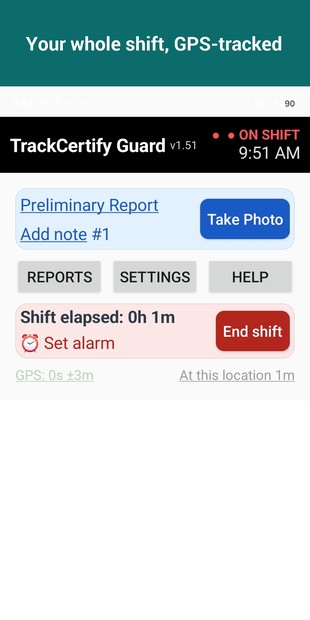
- GPS-tracked shift with a map of your real patrol route
- No checkpoints to install and no QR/NFC tags to scan — your GPS route is the proof
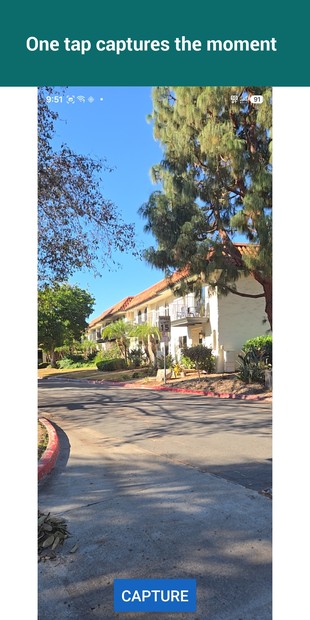
- Timestamped photos kept in private app storage
- No account and no web dashboard — everything stays on your phone
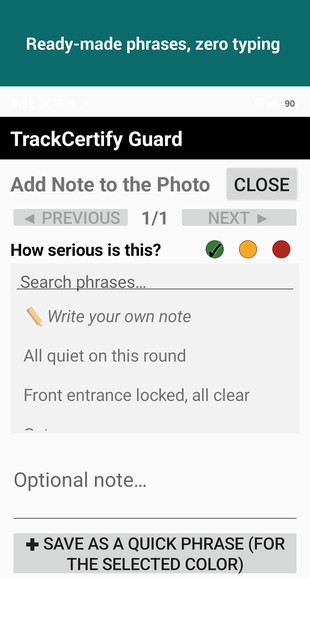
- Rate each photo: OK, concern or serious, with quick phrases
- Automatic PDF Security Patrol Report at shift end
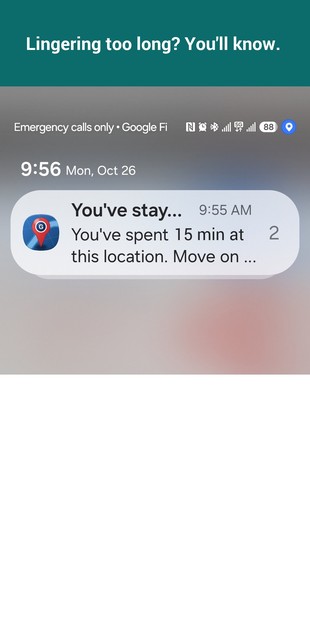
- Photo reminders so you never miss a round
- Your name & company on every report, plus shift recovery
- Free forever, with a small ad on the main screen
Lasts the whole shift
Guard sips battery — GPS tracking draws almost nothing, so a full 8-hour shift uses only about half a charge. Our tests on a Pixel 6a and a Galaxy Z Fold showed up to 17 hours of continuous tracking on a single charge, no recharge needed. See the battery test →
📄 See a sample patrol report (PDF) ▶ How it works, step by step
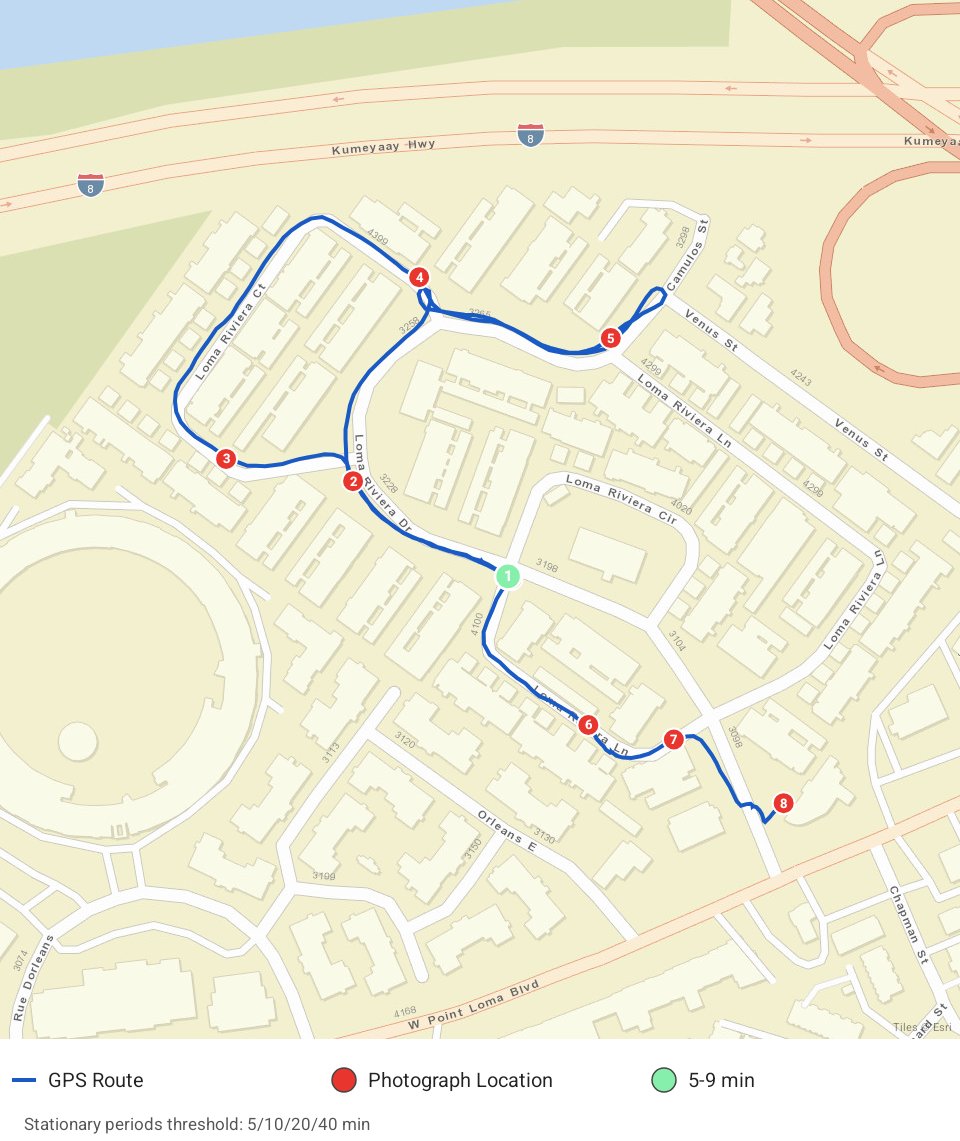
↑ Tap any point on the route to see its time, coordinates and speed — or any marker to open it in Google Maps. The same clickable map as in the PDF report.
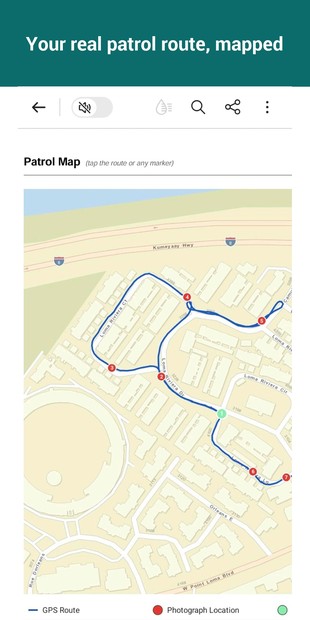
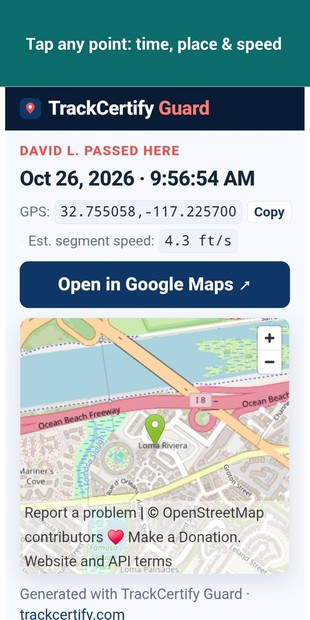
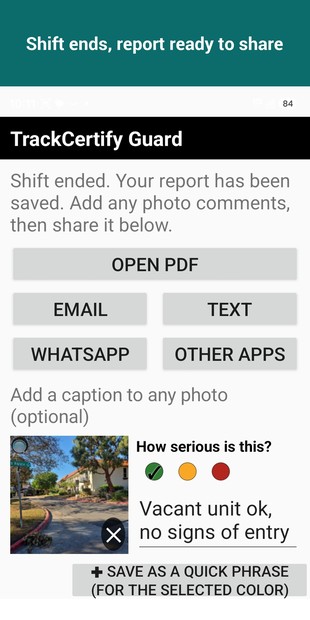
Swipe or use the arrows ← →
Get early access to Guard on Google Play
Official Google Play install · Free · No credit card
It takes 3 steps, with a 1–2 minute wait between each one while Google activates your access.
- Join the Early Access group (required). Without this step, Google Play won’t let you install the app. Tap the button, then Join group (top-right), then Join group again in the popup. When you see the message that you joined the group, come back here with Back ◀. Step 1 · Join the group ↗
- Activate your access on Google Play. Tap the button, then Become a tester. That’s Google’s name for early access. Then come back here with Back ◀.
Step 2 · Activate on Google Play ↗
👤 Use the same Google account to join the group and in Play Store.
If Google still says the page isn’t available, wait 1 more minute and tap the button again. - Install the app. Tap the button, then Install, like any other app. Step 3 · Install the app ↗ If you see “Item not found,” wait 1 more minute, close Play Store, and tap the button again.
Free · Installs only from the official Google Play Store · Leave anytime · Support: support@trackcertify.com
 🍎 Coming soon to iPhone
iPhone · iOS 17 or later · free with ads. Keep Guard open during your shift — don’t swipe it away, or GPS stops.
Made for the moments you need to document.
TrackCertify helps connect photographs, locations, and time in reports that are practical to review and share.
Location context
Use recorded GPS information to add geographic context to photographs and activities, with clear reporting when data is unavailable.
Reports you can use
Build organized reports with photos, timestamps, and maps, plus a dedicated patrol route map and a full GPS coverage summary.
Privacy-conscious by design
Photo and GPS processing is primarily on-device. Sharing and optional third-party services depend on the features you choose.
Questions about TrackCertify?
Most questions are already answered in our FAQ. Support: support@trackcertify.com.